
If you’ve ever tried copying AI-generated content into Notion, you know the pain. Formatting breaks. Paragraphs turn into weird blocks. What should take 10 seconds becomes a 5-minute cleanup job. On mobile? Forget about it—it’s a complete nightmare.
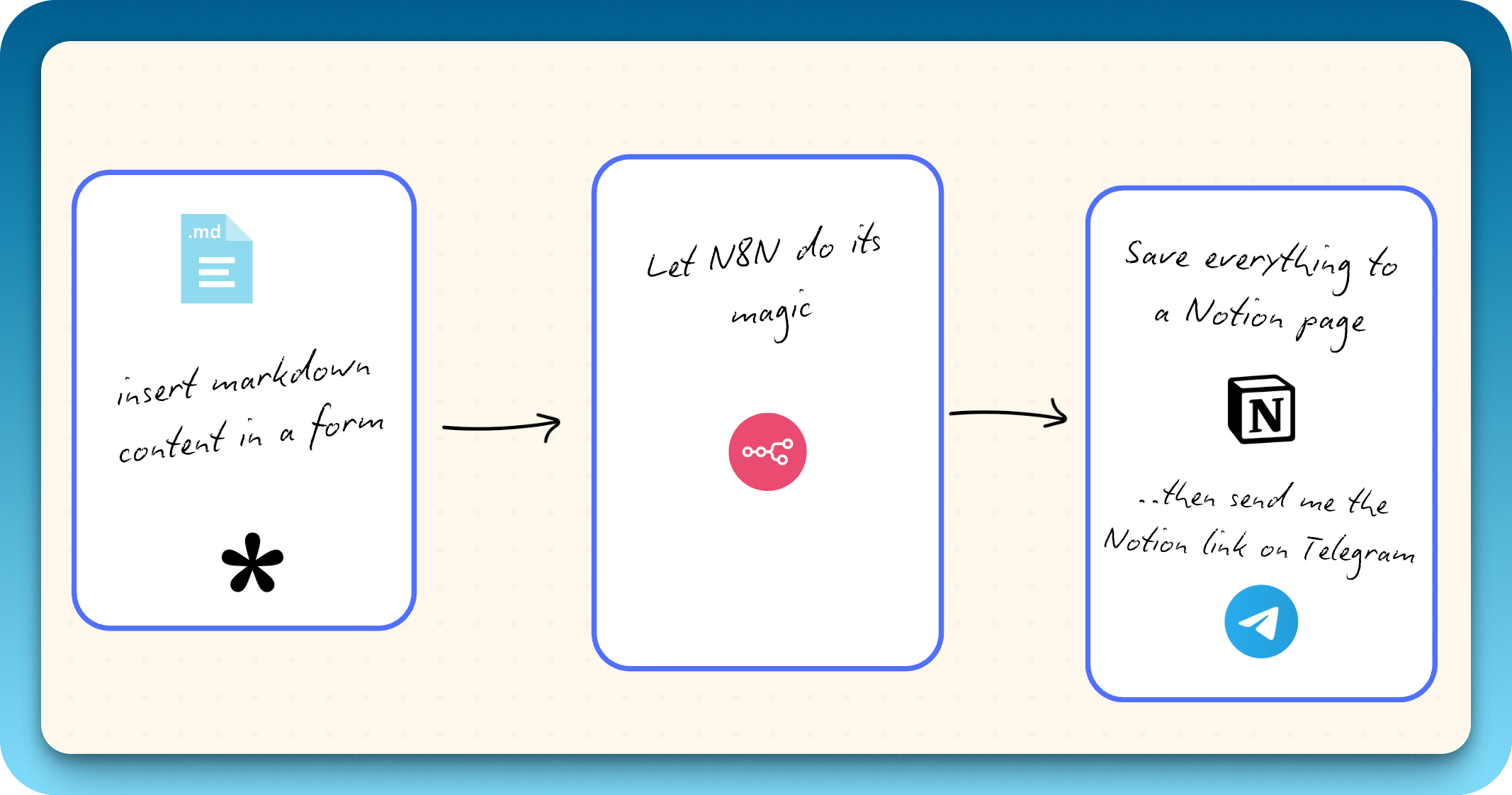
I got tired of this, so I built an automation that takes a Notion page URL and markdown text from a form, processes it, and appends perfectly formatted content to the page. No manual formatting. No block cleanup. Just pure, clean automation.
The Problem: Notion’s Copy-Paste is a Dumpster Fire
My workflow with AI tools like Perplexity, Claude, and ChatGPT involves a lot of content generation. Meeting summaries, research notes, blog drafts—I’m constantly moving text from these tools into my Notion workspace.
On desktop, the experience is tolerable. You copy, paste, spend a few minutes fixing broken headers and nested lists, then move on. But on mobile? It’s genuinely unusable. Text formatting gets mangled, code blocks disappear, and bullet points turn into plain text. I found myself avoiding the entire process just because it was so frustrating.
I needed a better way.
The Aha Moment: Reusing My Markdown-to-Notion Subworkflow
A few weeks ago, I built a subworkflow for a different project—one that takes YouTube video summaries generated by AI and appends them to Notion pages with perfect formatting. The subworkflow accepts two inputs: a Notion page ID and a markdown body. It then processes the markdown and appends it as properly formatted Notion blocks.
That’s when it clicked: I could reuse this subworkflow for anything. YouTube summaries, daily newsletters, meeting notes, AI-generated content—any scenario where I need to send markdown to Notion could use the same underlying automation.
All I needed was a way to trigger it with a simple form.
Building the Workflow: Tally + n8n + Notion
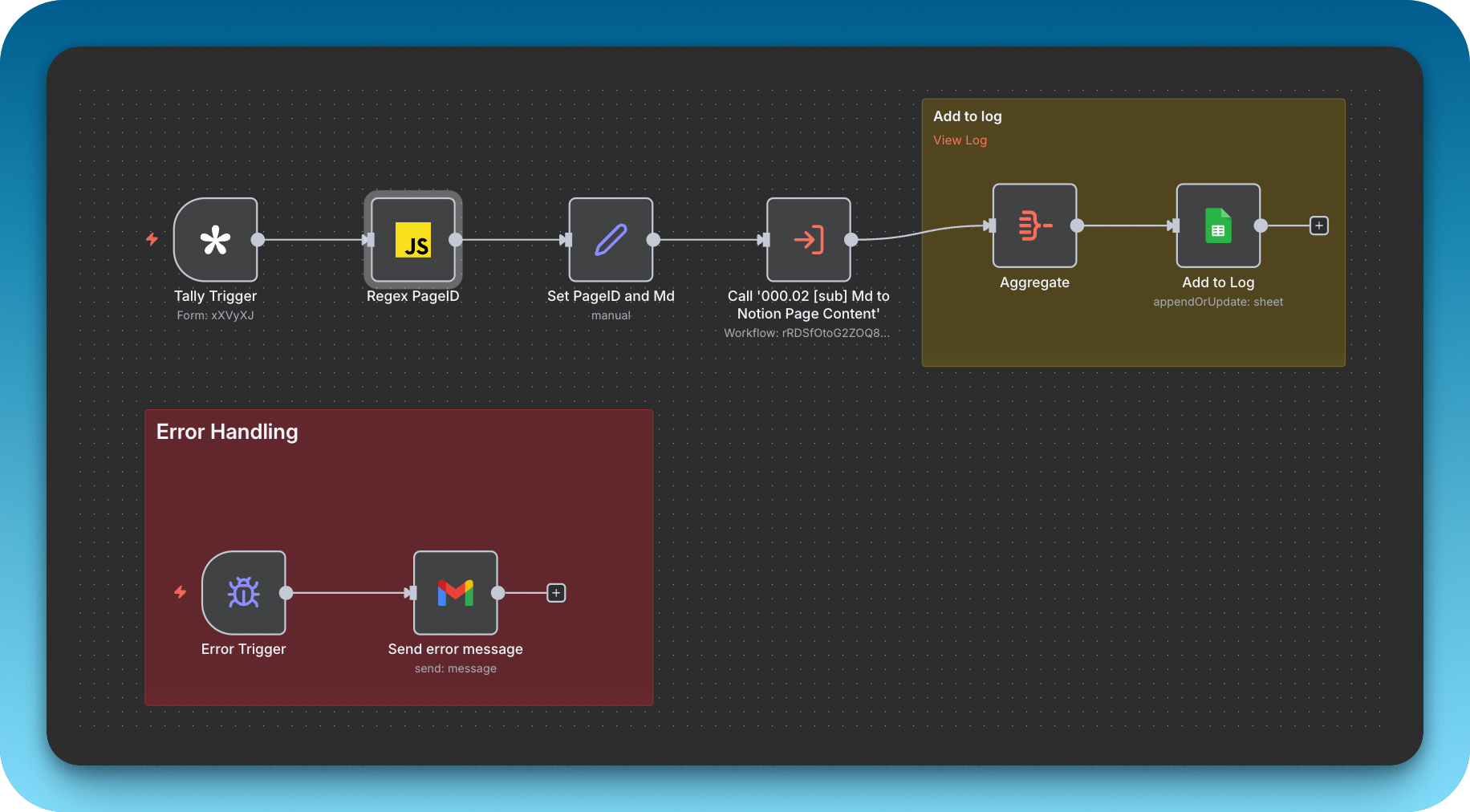
The architecture is straightforward:
- Tally form collects two inputs: Notion page URL and markdown text
- Code node extracts the page ID from the URL using regex
- Edit Fields node maps the data into the right format
- Execute Workflow node calls my existing markdown-to-Notion subworkflow
Why Tally?
I’ve been using Tally forms for years. The interface is clean, the integration with n8n is seamless, and it just works. I also considered using n8n’s native form trigger, but Tally’s mobile experience is far better—and since I’m often working on my phone, that matters.
The Tricky Part: Extracting the Page ID
Notion URLs can come in different formats:
https://www.notion.so/Workspace-Name/Page-Title-4d64bbc0634d4758befa85c5a3a6c22fhttps://notion.so/4d64bbc0634d4758befa85c5a3a6c22f- Sometimes with query parameters or dashes in the UUID
The Notion API needs a clean 32-character, dashless ID. Since I don’t code regularly, I asked Claude to generate a regex pattern that handles all these edge cases. The code node worked on the first try—no surprises, no debugging headaches. Just smooth sailing.
The Beauty of Subworkflows
This is where modular automation shines. My markdown-to-Notion subworkflow is now used across three different workflows:
- YouTube summaries: Transcripts processed by AI, sent to Notion
- Daily newsletters: Email digests formatted and archived
- AI content (this workflow): Anything I generate in Perplexity, Claude, or ChatGPT
One reusable service. Multiple use cases. Zero duplication of effort.
The Result: A 10-Second Workflow
Now, when I’m working on my phone and Claude spits out something I want to save:
- Copy the Notion page URL
- Copy the markdown output
- Paste both into my Tally form
- Hit submit
Within seconds, the content appears in Notion—perfectly formatted, properly structured, exactly as it should be.
No manual formatting. No mobile frustrations. No broken blocks.
What’s Next?
Right now, this is a personal tool—just me using it across my own workflows. But I’m considering sharing it on Reddit or in the n8n community. The architecture is simple enough that anyone with a Tally account and an n8n instance could replicate it in under 30 minutes.
If you’re interested in the technical details, the workflow JSON is available on request. The code node that extracts the page ID is the only custom piece—the rest is just wiring together existing integrations.
Have you built something similar? I’d love to hear how you’re solving the Notion formatting problem—drop a comment or reach out. And if you want the workflow file or have questions about the setup, feel free to ask.